
Set up a job hunter, start to finish
About two minutes, start to finish. Every screen below — from download to your first report — so you know exactly what to expect.
Download the free app
JobHunter runs inside bots.team, a free desktop app for Mac and Windows. Download it and open it — no account, no sign-up, no credit card.
- Mac or Windows desktop app
- Runs on your computer, not a website you log into
- Your resume never leaves your side of the setup
Connect Claude
Every bot runs on Claude, Anthropic’s AI. The first time you open the app, it’ll ask you to connect.
Already have Claude?
Sign in and you’re done — nothing extra to pay. JobHunter runs on the subscription you already have.
Need Claude first?
Subscribe at claude.ai (~$20/mo to Anthropic), then connect it. Full pricing →
Add a bot and describe the hunt
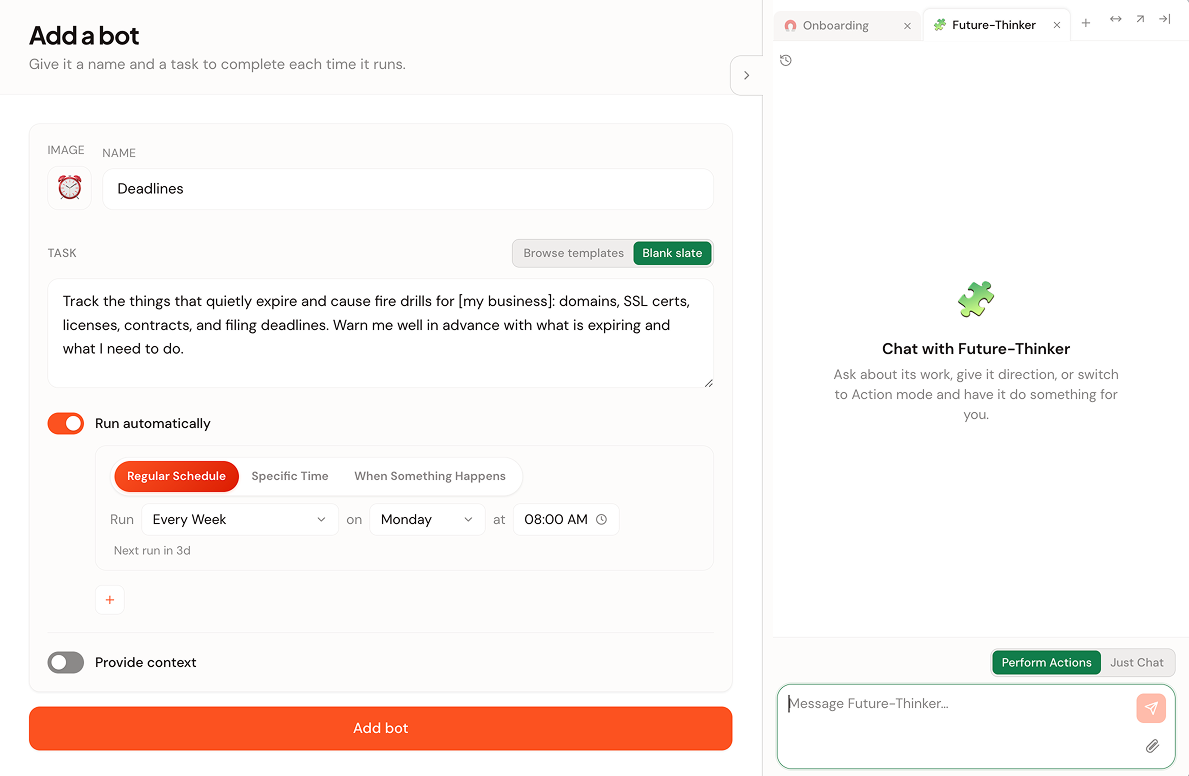
Click Add a bot. You’ll give it two things: a name and a task written in plain English. Name it something you’ll recognize — JobHunter, or the mission itself like DesignRoles.
In the Task box, type it the way you’d ask a person — and paste your resume text right in, so it knows who it’s matching for:
There’s no special syntax and no wrong way to phrase it. The same box works for any of the hunts — watching careers pages, finding hidden employers, tracking applications. You can start from Blank slate (shown here) or Browse templates for a head start.
Tell it when to hunt
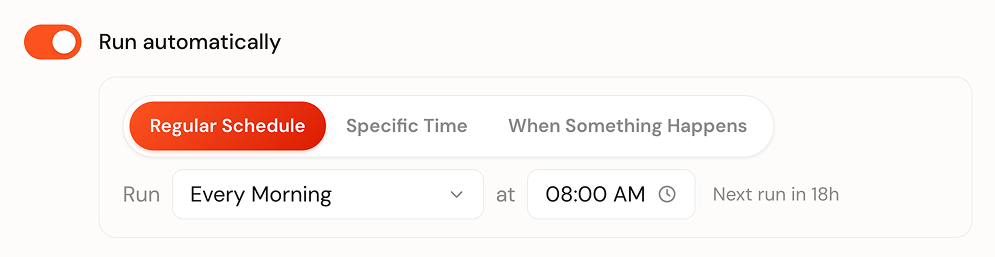
Turn on Run automatically and pick a schedule. For most job hunts, Every Morning is perfect — new postings from overnight, read before your coffee. Chasing fast-moving roles? Switch it to every few hours.
Set your ground rules
A job hunter only needs to read public pages — the boards and careers pages you point it at, nothing on your computer. Pasting your resume text into the task (rather than pointing at folders) keeps it that way. Defaults keep it in that lane:
- “Never search or browse your other files” is on by default — your resume goes in as pasted text, so it stays on
- No logins to job boards, email, or LinkedIn — it reads public pages only
- Can’t apply, email, or message anyone — it finds and reports, you act
Read the report
From now on it runs on schedule and leaves a clean report each time — headline, short summary, and the matches (if any) with links and reasons. Most mornings: a quiet “nothing worth your time.” The day a role fits, it says so plainly.
When a role fits, you get the note — you write the application and hit send. It never applies on your behalf.
Or let us write the instruction for you
Tell us the role and we’ll hand the bot the job already written — opens bots.team pre-filled, so all that’s left is pasting your resume.